![crown-sterling-line-white.png]](https://help.crownsterling.io/hs-fs/hubfs/crown-sterling-line-white.png?height=50&name=crown-sterling-line-white.png)
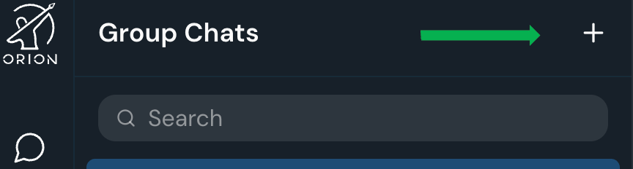
- Click the + button at the top right of your chat screen.
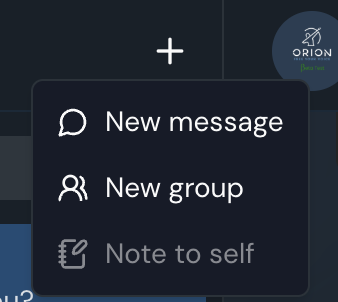
- Select New group and start typing the usernames you would like to add.
- Choose the members for the group (you can add more later) and click Next.
- If you don't have anyone to add yet, you can use orion_team or orionsupport.
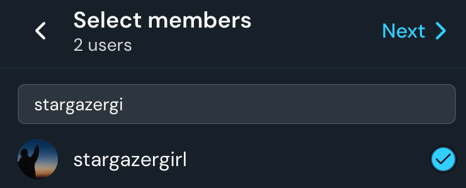
- If you don't have anyone to add yet, you can use orion_team or orionsupport.
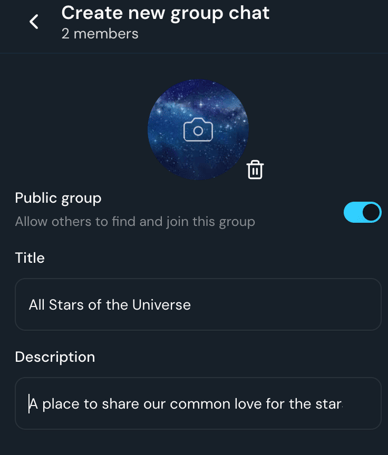
- Create your group's Title and decide if you would like it to be public or not.
- To have your group added to the master list, send orionsupport a message with the group name and a brief description.
- You can also add a profile picture at this time, or wait till later.
- Mark if you want your group public so others can find it and request to join.
- You will be prompted to add a description if you have made the group public.
**See requirements for creating your public group chat.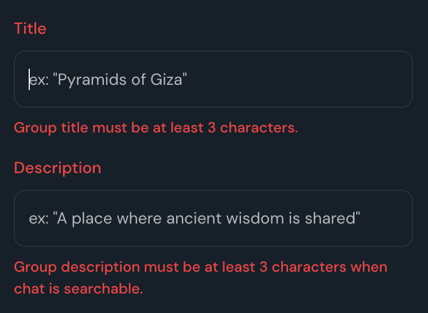
- Choose who is able to post in this group chat.
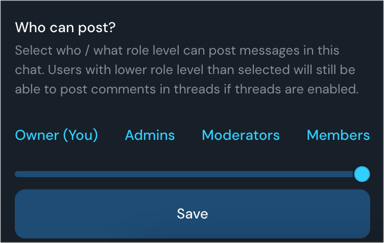
- Once the public group is created, people will be able to search your group and request to join.
- When someone requests to join, you will have a notification.

- Click Accept and they will be added to the group.
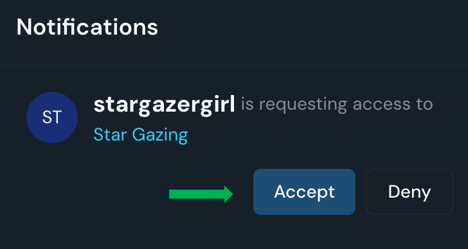
- When someone requests to join, you will have a notification.
- You can add additional users manually as well.
- Click on the group name at the top of the screen to get to the chat details.
- Select Add and choose the members who have requested to join.
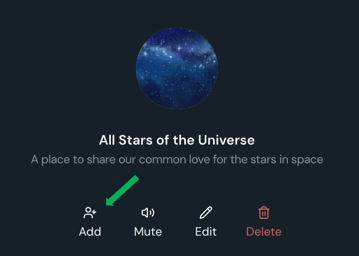
Please only add users that have requested to be a part of the group.
- You can also remove members and change their role.
- Click on the group name at the top of the screen to get to the chat details.
- Select Members.
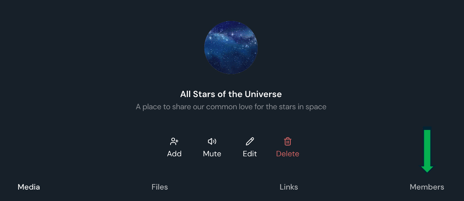
- Click the three dots to the right of the username and select Remove or change their role to Admin or Moderator.
- These roles can assist with adding new users to the group.
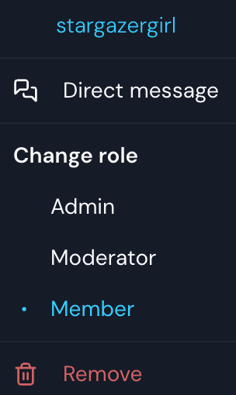
- These roles can assist with adding new users to the group.
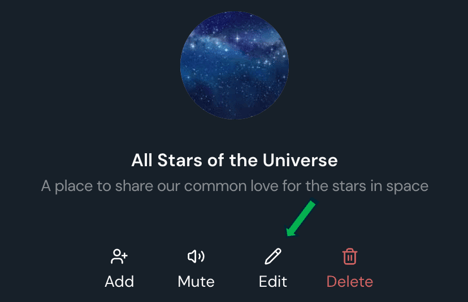
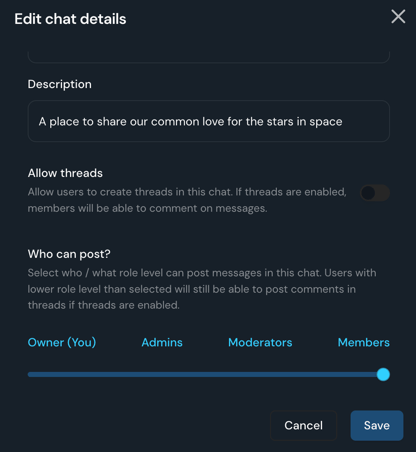
- To change your group details, click on your group name.
- Select Edit.
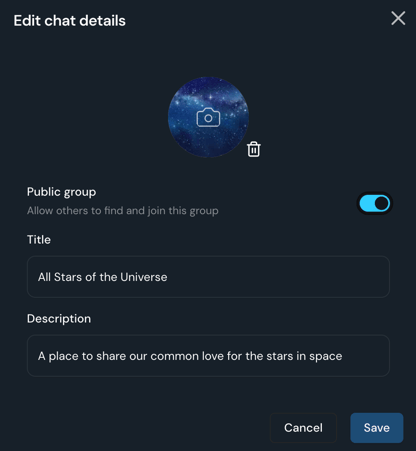
- You can choose to edit the group name, description, profile photo, make it searchable or not, turn on Threads, and edit who can post in the group.
- Select Edit.